Download Popular Antivirus Program

Showing posts with label ransomware removal guide. Show all posts

Tuesday, October 21, 2014

Get Rid of Cryptowall 2.0 - Ransomware Removal Guide

Description of Cryptowall 2.0


Cryptowall 2.0 is classified as ransomware which is capable of encrypting your personal date and files stored on your computers. It is the newest version of the Cryptowall. Broadly speaking, this malware often sneaks into the target computer via being bundled with free downloads, visiting intrusive websites, downloading spam email attachments, opening malicious links, or clicking suspicious links.

Tuesday, September 9, 2014

What Is TorrentLocker? How to Uninstall TorrentLocker Efficiently and Pernanently?

What Is TorrentLocker?


TorrentLocker is classified as a ransomware which is designed by cyber criminals for date kidnapping, attempting to extort money from victims via locking affected computers or encrypting the files stored on hard drive or network disks. This ransomware often gets into computers through downloading free applications from the third parties, visiting intrusive websites or clicking malicious links without asking for any permission.

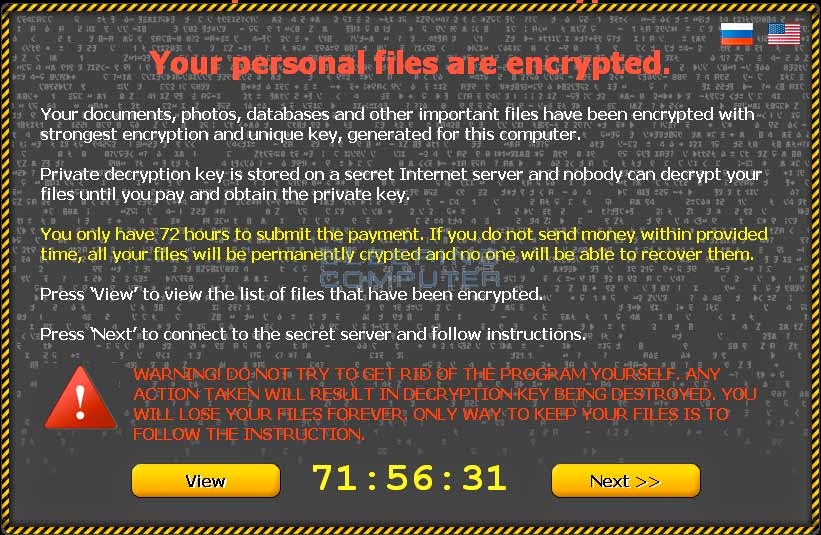
While your computer is infected by this ransomware, it is able to store itself in the Temp folder as a random named executable. Then it will create a hidden random named job in Task Scheduler that launches the malware executable every time you login. Thus it is able to scan your computer secretly, and then lock your commonly used programs and encrypt your important data so that you can no longer access them or open them. Besides, this ransomware will rename your data so that they end with a TorrentLocker extension. In fact, these TorrentLocker files are simply your normal files that have been encrypted. Then a pop-up screen will show up stating your programs and data have been encrypted and you have to follow the instructions on the screen to pay the ransom for your files back.

Thursday, August 7, 2014

How to Get Rid of CTB Locker or Critroni Permanently? Efficient Solutions!

Definition: 


CTB Locker (Curve-Tor-Bitcoin Locker), also known as Critroni, is a file encrypting ransomeware which can infect all versions of Windows. When you become infected with CTB Locker, the malware will store itself in the Temp folder as a random named executable. Then it will create a hidden random named job in Task Scheduel that launches the malware executable every time you login. The CTB Locker will scan your computer for important personal files and encrypt them. Besides, the CTB Locker infaction will rename them so that they end with a CTBL extension. Therefore, these CTBL files are simply your normal data files that have been encrypted. There is no way to open a CTBL file unless you first decrypt it by paying the ransom. If you do attempt to open a file with a program, the program may state that it is corrupted or just display garbled text on the screen. The only way to recover these files so that they show the original, and correct, information is to restore them in some manner or pay the ransom.